Business Cycle Tracer
Introduction
The Business Cycle Tracer graph is an instrument that allows the performance of the Basque economy to be understood.
This representation system shows the performance of different indices, such as: wholesale and retail trade, gross domestic product, exports and imports, production of consumer goods, etc.
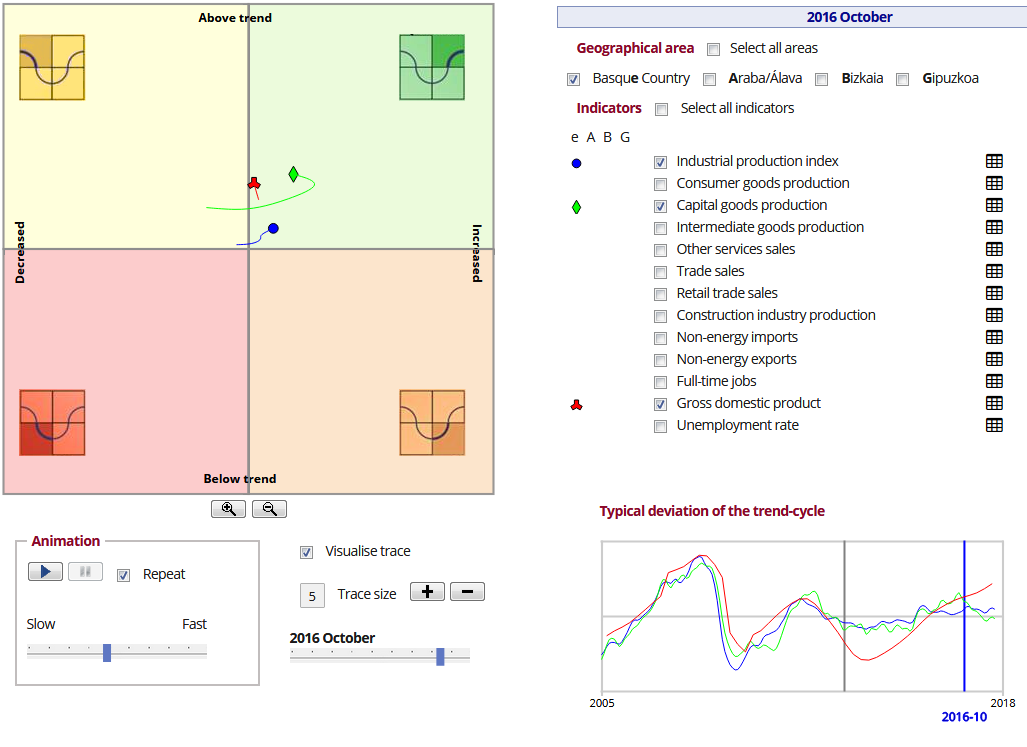
This tool enable the visualization of economic data from 13 indicators and the provinces from 1989 to 2015, thanks to the following components and options:
The top of the screen shows:
-
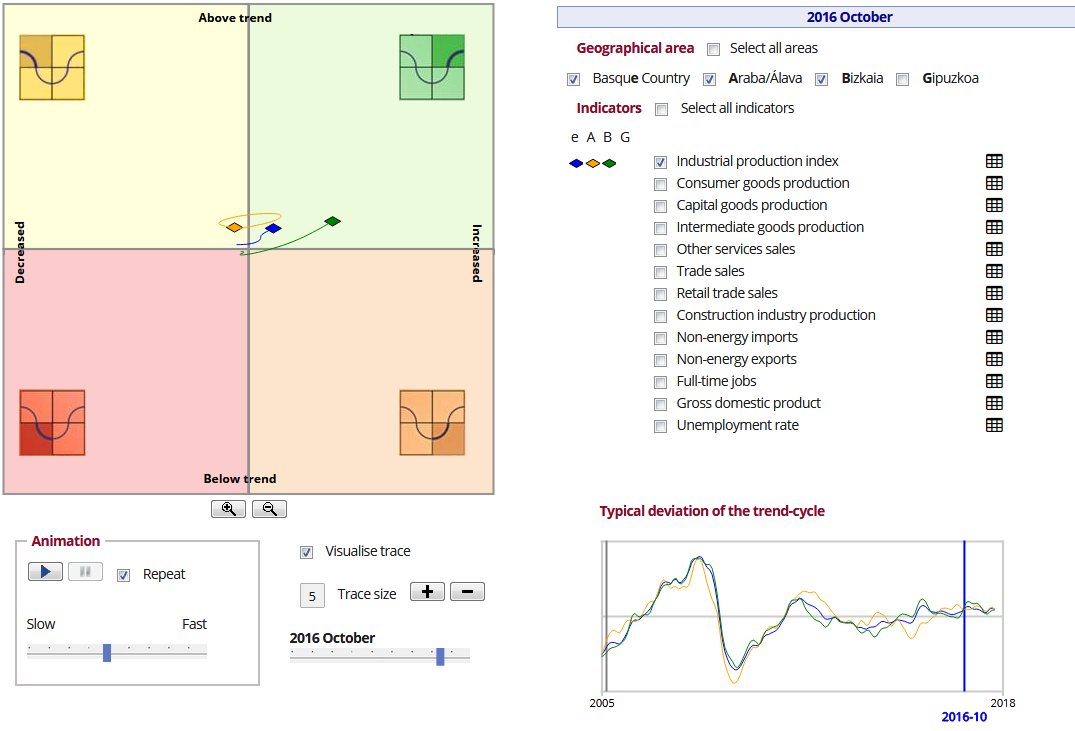
BCT graph (to the left). It is divided into four colours representing the state of the economy and there are different symbols representing the indicators and the provinces.
-
The graph key is used to select the territories.
-
Indicator key (to the right). This key shows the indicators that will displayed on the graph and you can access tables containing more information about each indicator.
At the bottom of the screen:
-
Control panel (to the left), for animating the graph and other options.
-
Line graph (to the right). Shows the standard deviation from the trend-cycle of the different indicators.
Selection options
The following options are directly on both the map and the line and distribution diagrams:
-
Select the geographical area.
-
Select the visualization indicator.
Select the geographical area
The first selector or spinner at the top of the screen allows the geographical area to be selected. The selections made will be directly reflected in all the interactive components of the visualization, that is, in the BCT graph and in the line diagram.

Select the indicator
In the right-hand area for selecting indicators, as well as selecting the indicators that will be shown on the BCT graph, it is also possible to change how they are displayed in the top of the series for each indicator and the colour for each province of each indicator (series).
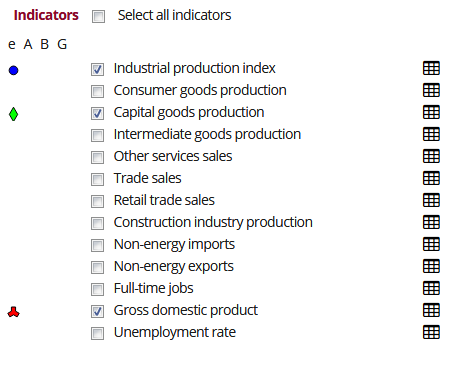
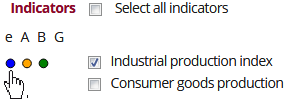
To make changes click on the icon indicating geographical area to the left of the indicator.
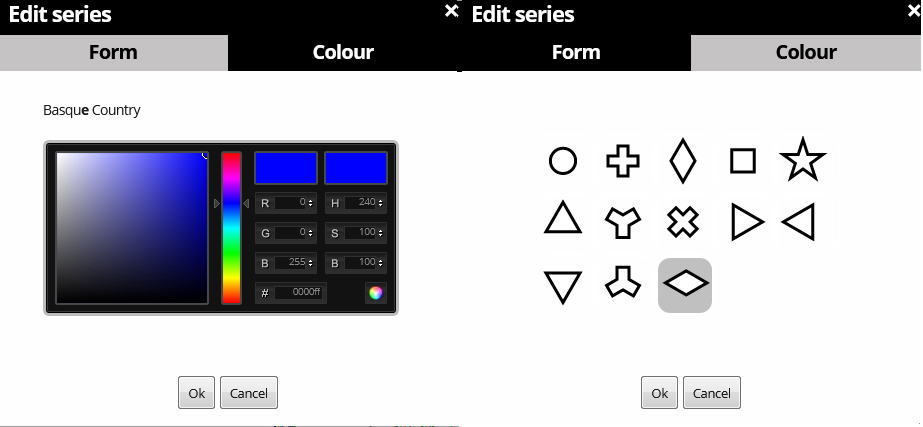
This opens an editor in which both the form of the indicator and the colour of the province can be changed.
The selections made are also reflected in the line diagram, as can be seen in the following image:
Other visualization options
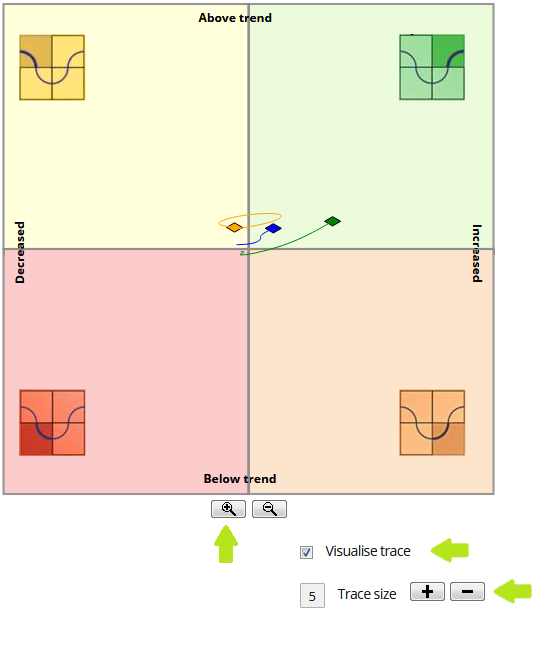
Other visualization options are also offered, including:
-
Add zoom to the map. To do this use the + and - buttons at the bottom of the map (See option A in the following image).
-
Select if the trace is visualised or not.
-
Select the length of the trace.
Animation options
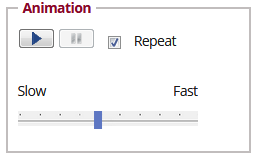
The animation section consists of a control panel with the following:
-
Buttons
-
Play/pause. Play or pause the consecutive reproduction of data corresponding to different years.
-
Repeat. Plays the animation again when it reaches the final year.
-
Sliding speed control. Bar for adjusting the play speed.
Performance of the selected indicator
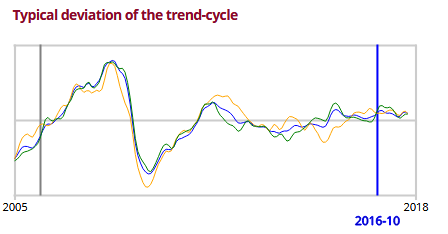
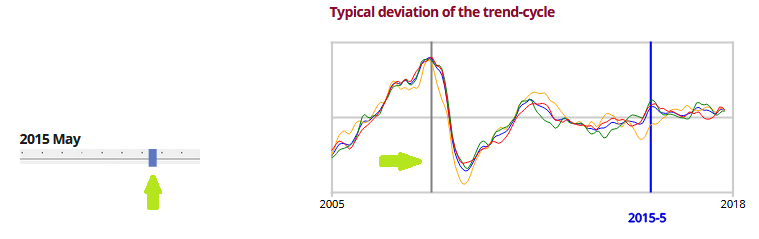
Line diagram representing the deviation of the cycle trend series above the Hodrick Prescot trend of the selected series.
Placing the cursor over a particular point will open a dialogue box containing the values taken by all the represented series at that point.
As well as showing the performance of the selected indicator, it allows the visualization year to be set (see the next section).
Change the visualization year
There are two ways to change the visualization year:
-
Use the sliding control located below the map. Move the bar either right or left and the year will increase or decrease accordingly.
-
Via the line diagram showing the performance of the selected indicator. Click on the green bar that appears when you place the cursor over the graph.
In both cases, changing the year will display the data corresponding to that year.
Technique
This tool utilises the jqPlot (to create the graphs) and Leaflet (to create the map) libraries. The use of JavaScript enables it to be interactive, and you must therefore have the JavaScript option active in your browser.
It is multiplatform, and can be visualised in Android, iOS and the most popular browsers (Internet Explorer 9+, Firefox, Google Chrome, Safari, Opera).
If the process takes too long, you are advised to use another browser, such as Google Chrome.