Visualization of hotel prices
Introduction
The Heatmap graph is a tool for determining the evolution of pricing trends in hotel establishments in the Basque Country.
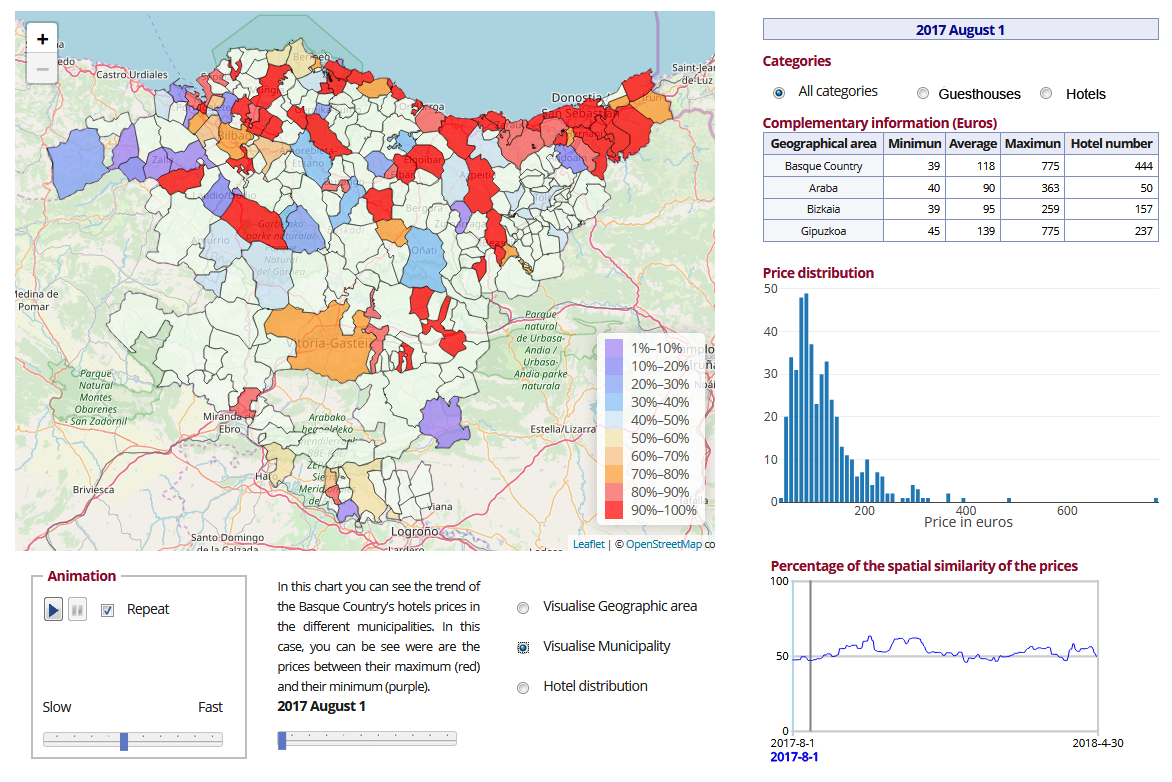
This tool lets you visualise the position regarding the price history of the different establishments in the Basque Country, gathered from web-scraping on platforms offering room reservations at hotel establishments, thanks to the following components and options:
The top of the screen shows:
-
Heatmap graph (to the left). It can be visualised both by municipalities and by geographical areas and shows the evolution of hotel prices in each region.
-
The graph key is used to select the category of the establishments.
-
Table with additional information on the prices of hotel establishments in the selected categories on the day shown.
-
Histogram with the distribution of the prices of hotel establishments in the selected categories on the day shown.
At the bottom of the screen:
-
Control buttons (to the left), for animating and personalising the graph.
-
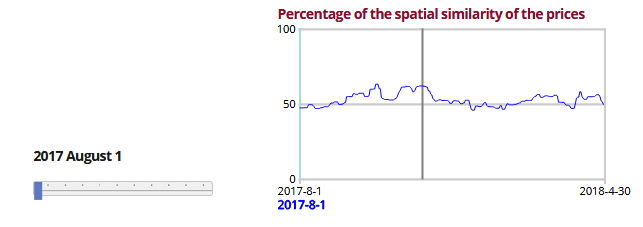
Line graph (to the right). Shows the spatial autocorrelation of hotels in the Basque Country for each day.
Select category
This selector or "spinner" at the top of the screen allows you to select the data that will be taken into account in the visualisation. You can choose between using all data, guesthouse data or hotel data.

Other visualisation options
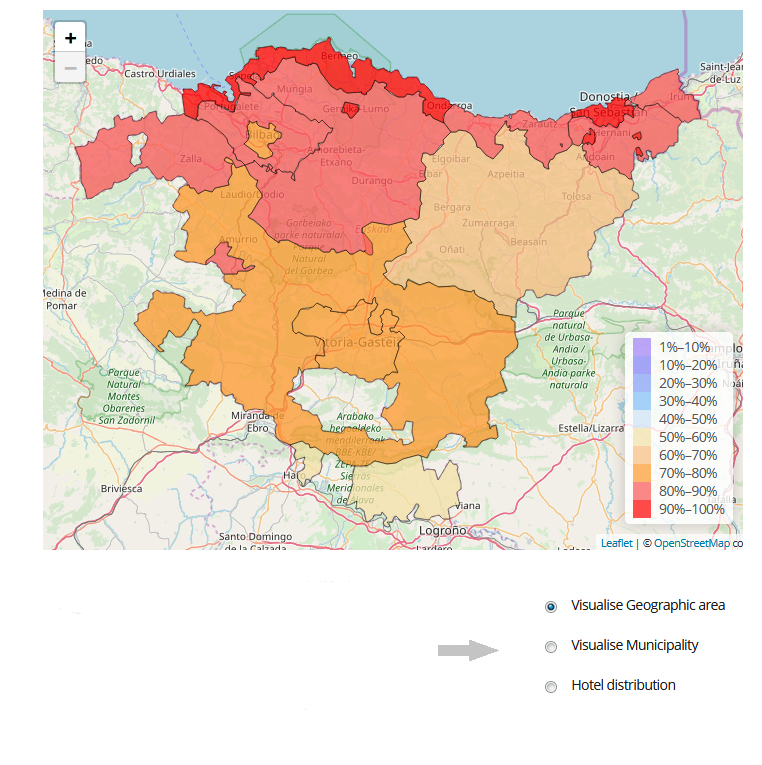
The graph offers the option to choose between visualising the data by municipalities, by geographical areas or as a general heat map. It will also be possible to zoom in or out with the assistance of the mouse wheel or the + and - symbols on the upper left of the graph.
Animation options
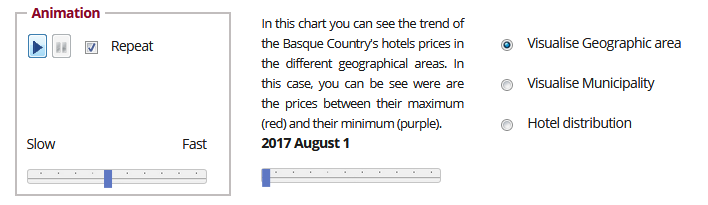
The animation section consists of a control panel with the following:
-
Buttons
-
Play/pause. Play or pause the consecutive reproduction of data corresponding to different days.
-
Repeat. Plays the animation again when it reaches the final year.
-
Sliding speed control. Bar for adjusting the play speed.
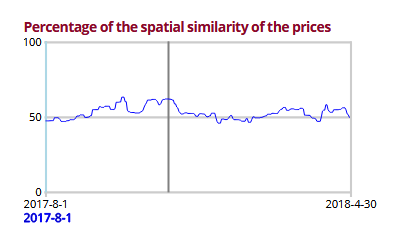
Line diagram representing the value of the Geary index for spatial correlation with translated values between 0 and 100. The closer to 100, the greater the spatial similarity of the hotels.
As well as showing the evolution of the selected indicator, it allows the visualisation day to be set (see the next section).
Change the visualisation day
There are two ways to change the visualisation day:
-
Use the sliding control located below the map. Move the bar either right or left and the year will increase or decrease accordingly.
-
Via the line diagram showing the evolution of the selected indicator. Click on the grey bar that appears when you place the cursor over the graph.
In both cases, changing the day will display the data corresponding to that day.
Technique
This tool uses the libraries Leaflet (to create the map) and Plotly (to make the histogram). The use of JavaScript enables it to be interactive, and you must therefore have the JavaScript option active in your browser.
If the process takes too long, you are advised to use another browser, such as Firefox.